
Chapter 9 · 9.3
A custom domain for your Nextcloud
Your Nextcloud is initially set up on one of our addresses, such as yourname.webokecloud.nl. Would you rather use your own address, for example cloud.yourcompany.nl? You can set this up yourself on the product page of your package. This is possible with a paid Nextcloud package, and only the owner of the account can do it.
Please note: this cannot be undone. Afterwards you cannot go back to an address on webokecloud.nl. Your Nextcloud will still remain reachable at the old address, so existing links will keep working.
Step 1: pointing the domain to your Nextcloud
- Go to My Products and open your Nextcloud package.
- On the Use your own domain card (1), enter the domain name you want to use. This can be a domain you already own or one you're about to register, for example cloud.yourcompany.nl.
- Click Check (2).
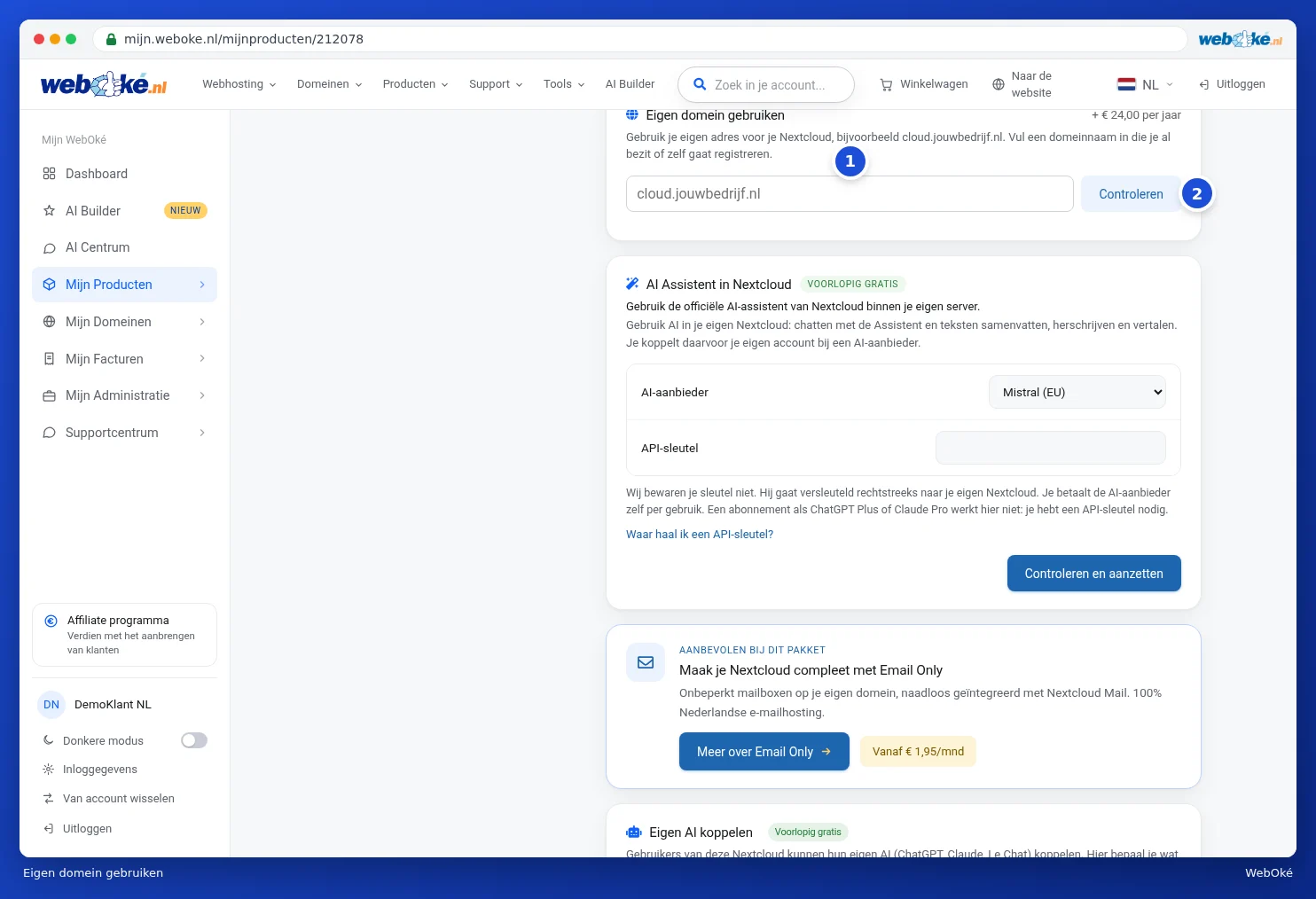
- If the domain doesn't yet point to your Nextcloud server, you'll see exactly which record you need to create: an A record for your domain with the IP address of your Nextcloud server. If the domain also has an AAAA record, you'll see which address it should point to, or whether you need to remove it. You'll also immediately see what the custom domain costs: now for the rest of your term, and afterwards per year.
- Create the record in the DNS management of your domain. If your domain is with WebOké, you do this in My Domains. See Managing DNS: adding, editing and deleting records.
- Wait until the record is active. This can take up to a few hours. Then click Check again.

Until the record is correct, we won't switch anything over yet.
Step 2: setting up your own domain
- Once the DNS is correct, you'll see that your domain points to your Nextcloud server, along with the costs.
- Read the warning and tick I understand that this cannot be undone.
- Click Set up your own domain.
We'll now switch your Nextcloud over. This takes a few minutes; your Nextcloud will be briefly unreachable during this time. The card updates automatically and shows when your Nextcloud is running on your own domain. We'll take care of the security certificate (https). You'll only be charged once the switch is successful. If it doesn't succeed, nothing changes and you won't be charged.
Why don't I see the card?
- You have Nextcloud Free. A custom domain is only available with a paid package.
- You're not the owner of the account, but a user with different permissions.
- Your Nextcloud is already running on a custom domain. If you'd like to use a different custom domain, please contact support. See Submitting a ticket.
Do you use the Nextcloud apps on your computer or phone? After the switch, you can use your new address there. You can read how to link the apps in the Nextcloud manual.